Best Software for Business Project Management
Currently, there are quite a few reputable project management software options on the market. Within the scope of this article, we will highlight two tools frequently trusted by businesses: Asana and Trello.
Trello vs Asana - Where to Manage Your Projects in 2021
Matteo Duò , <time datetime="2020-07-13T07:00:09+00:00">July 13, 2020</time> 54 Shares
TwitterFacebookLinkedInPinterestRedditBufferE-mail
Trello and Asana are two of the most popular project management tools available today. So, here is the question: Trello vs Asana, which one should you choose for your business?
<aside>
Try a free demo<button></button>
</aside>Let’s find out with our in-depth comparison!
<aside data-heading="Table of Contents" data-exclude="last" data-list-="" data-count-number="-1" data-selector="h2">
Table of Contents
- Trello
- Asana
- Trello vs Asana: Top Differences
- Trello vs Asana: Which Project Management Software Should You Use?
</aside>
Trello
 Trello
 started as a product of Fog Creek Software. According to Joel Spolsky, the founder of Trello, they wrote the first line of code for this product in January 2011. He said that after three months of work, the software was useful enough to launch, but they decided to polish it a bit more before introducing it to the public. Fog Creek Software launched Trello in September 2011 at TechCrunch's Disrupt conference. It was an innovative project management product based on the Kanban productivity system. The Kanban system was developed by a Japanese industrial engineer, Taiichi Ohno, in an effort to improve Toyota’s manufacturing process. It was so successful that the system expanded beyond automotive manufacturing into other industries such as retail, software, and even movie theaters. It also caught the attention of individuals who saw it as a way to improve their personal productivity. Here is what the most basic Kanban board looks like:
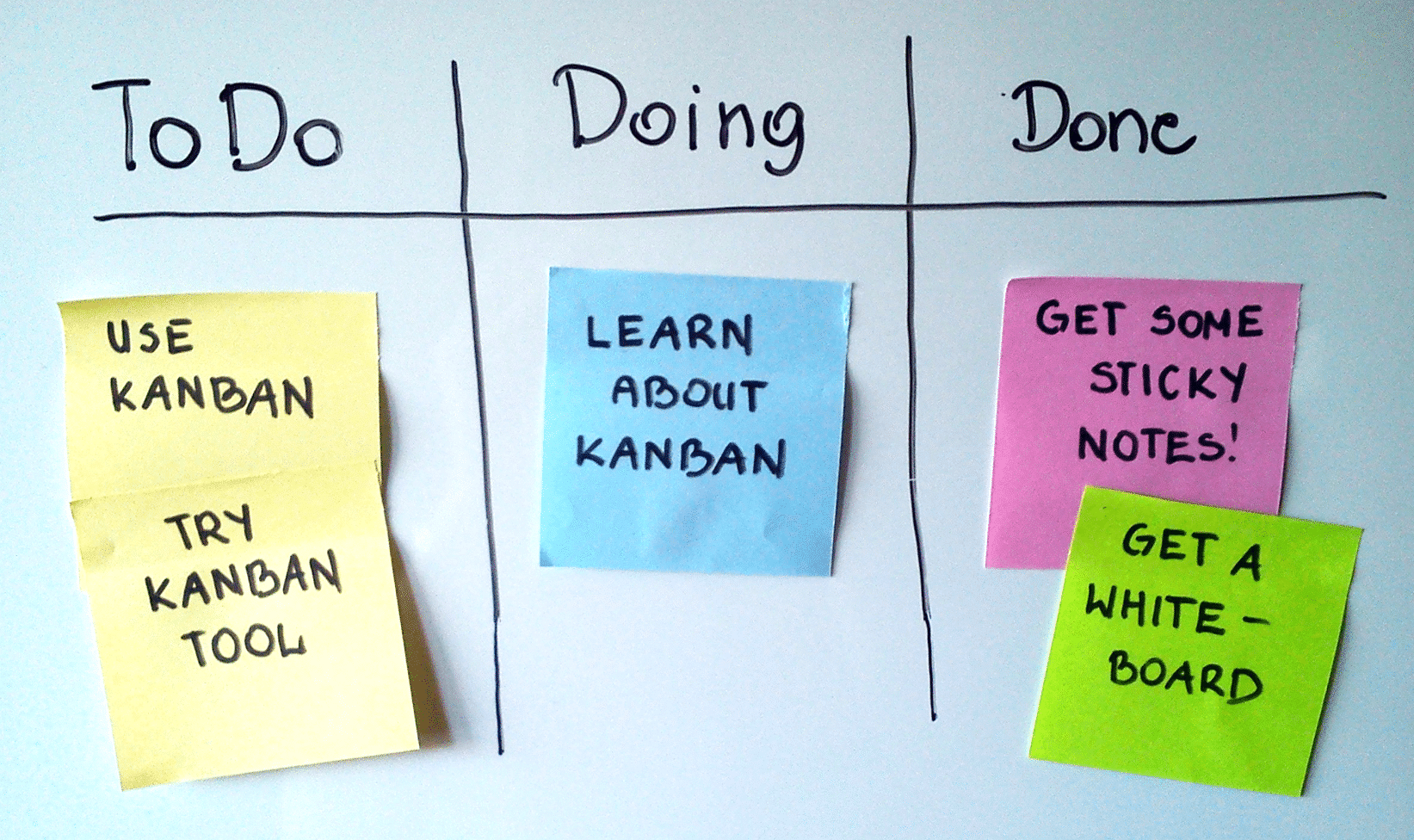 Kanban Board (Image source: Simpaticodesignstudio.com)
Of course, a Kanban board for a large organization is much more complex than this, but you get the idea. Fog Creek Software built a tool that allowed companies to create digital Kanban boards. Here is the board of a fictional company called Artist Exploitation, Inc. that Joel Spolsky used in his Disrupt presentation:
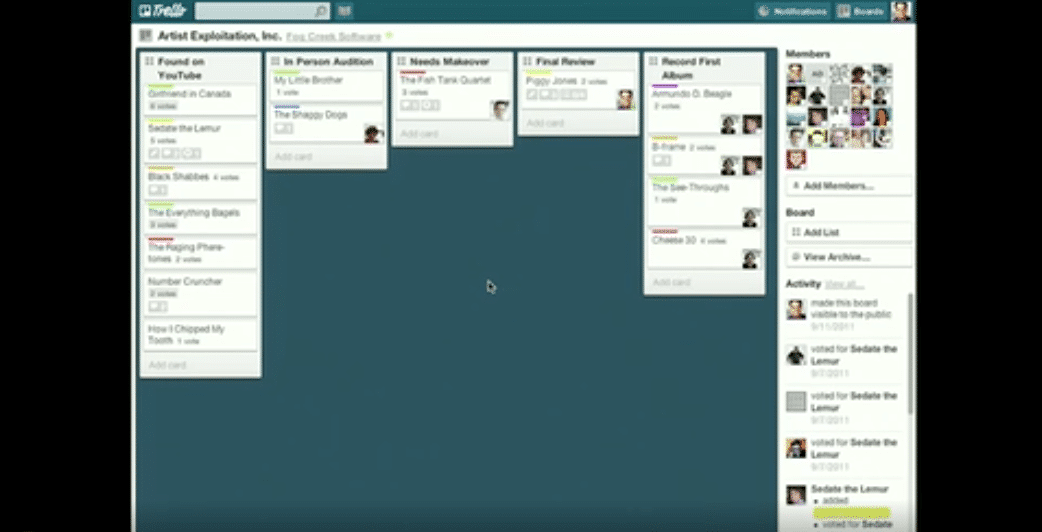 Trello’s pitch at Disrupt San Francisco 2011
Now, you need to remember that this was almost a decade ago. At the time, using Kanban boards in project management software was a revolutionary idea, plus building it was a serious technical challenge. Joel Spolsky’s presentation was a success: he “leveraged 6 minutes of fame into 130,000 eyeballs” and 22% of them signed up for Trello.
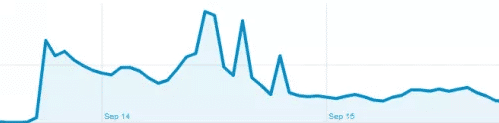 Trello leveraging media attention
Spolsky attributed this success to having a solid product:
<blockquote>“If we had launched a 3-month-old Trello, it would have been NOT GREAT. Maybe even MEH. I wouldn't want 131,000 eyeballs on MEH.”</blockquote>
Since then, Trello has grown explosively and reached 10 million users in 2015. However, as Hiten Shah pointed out in his article “Why Trello Failed to Build a $1 Billion+ Business”, their competitors had been working hard on Kanban boards. Soon enough, a once-revolutionary idea eventually became commonplace. Asana introduced their own Kanban board feature in 2016 (more on this below), “heavily inspired” by Trello:
<blockquote>“We definitely give full credit to Trello. It’s clearly the product that did a great job pioneering this view. […] We think of Trello as a feature, not a product.”</blockquote>
said Justin Rosenstein, co-founder of Asana. Regardless, Trello continued to grow and reached 25 million users in 2017. That same year, it was acquired by Atlassian for $425 million. Today, Trello has over 35 million users and is one of the most reputable companies in the project management space.
Key Features
Alright, so what exactly does Trello offer its users? The Kanban system remains at the core of Trello. It provides a great visual progression for projects because you can see each card move from left to right as work on the task progresses.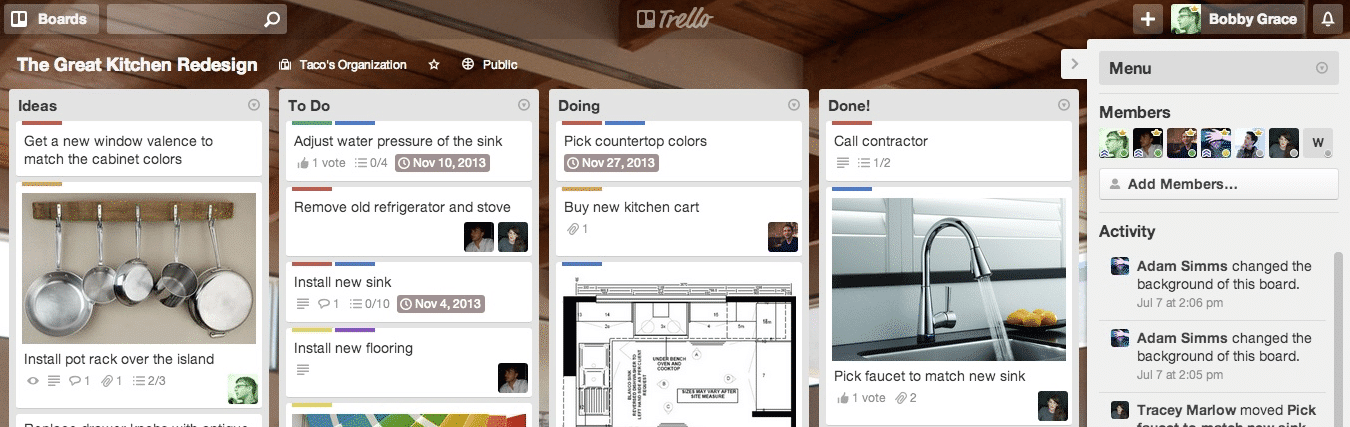 A Trello board
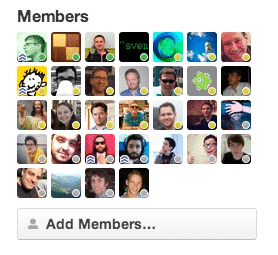
As you can see, the user interface is quite similar to 2011, except now it looks more appealing. You can invite as many people to your board as you want for free, which is great if you work with a large team.
 Trello members
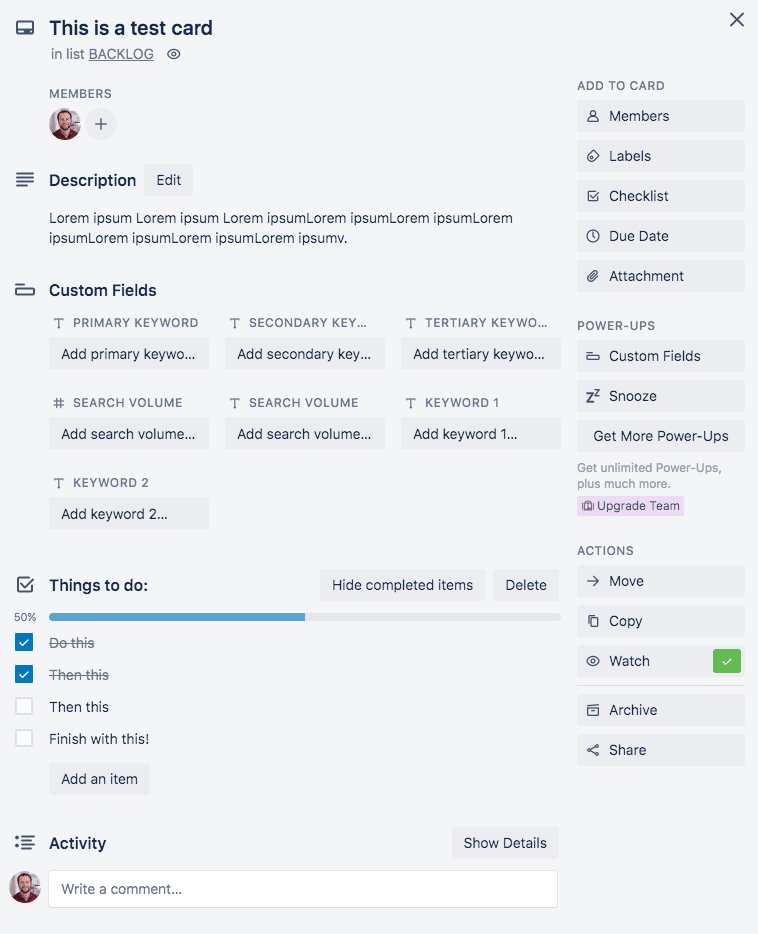
You can organize your work by creating boards, lists, and then cards for each task, then moving cards across lists as you complete the tasks.
 Trello cards
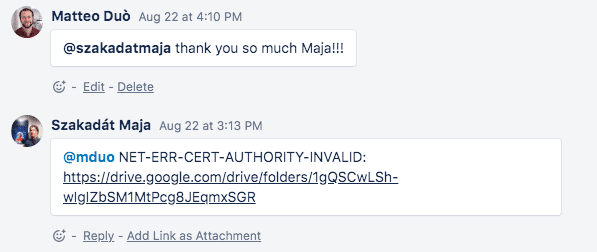
These cards are more than just a digital version of sticky notes. You can add a lot of information to them, such as task descriptions, due dates, labels, progress checklists, attachments, and more. By the way, speaking of checklists and due dates, Trello has a Calendar Power-Up that lets you view cards with due dates on a calendar. Trello lacks a native task dependency system. However, you can use certain elements inside cards, such as checklists and attachments, to represent task dependencies. You can read more about how to manage task dependencies here. Cards also have a comment feature, so if you need to discuss something related to that task, you can do it right inside that card:
 Trello comments
This is very convenient because it allows you to keep communication in one place instead of having it scattered across multiple channels (email, instant messaging, text messages, etc.). Trello also has a notification system that keeps you updated by sending you alerts inside the app, via email, through your browser, and via mobile devices. These notifications are synced across all devices so you won’t have to deal with the annoyance of reading notifications that still show as unread. And if you receive a notification via email, you can reply directly via email. There is also a powerful search function that helps you quickly find whatever you are looking for. And if you want to use Trello with multiple groups of people, you can use Trello Teams (that way, you can have a family team, a friends team, a work team, etc.).
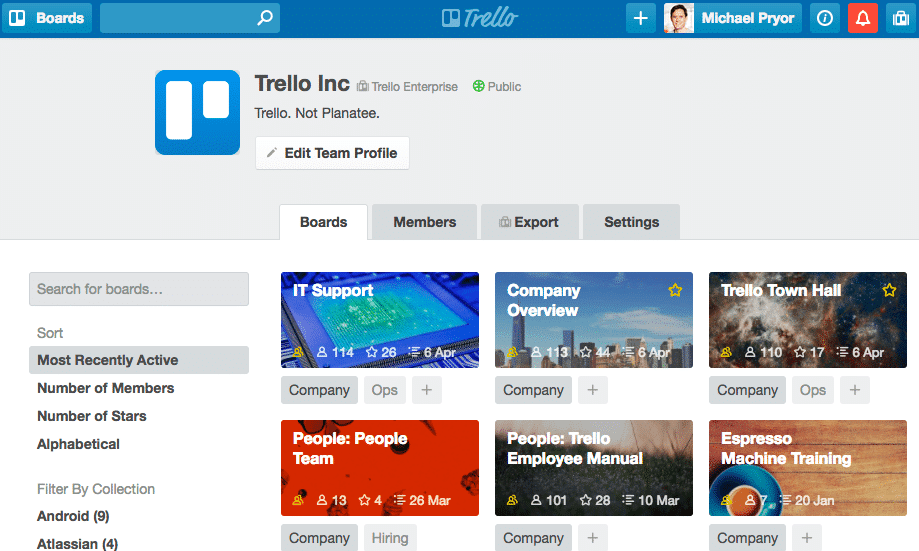 Trello boards
Trello has a wide variety of Power-Ups. They allow you to enable additional features on your board and integrate the software with your favorite apps. For example, some of the most popular Power-Ups include the previously mentioned Calendar Power-Up, as well as Google Drive and Slack Power-Ups:
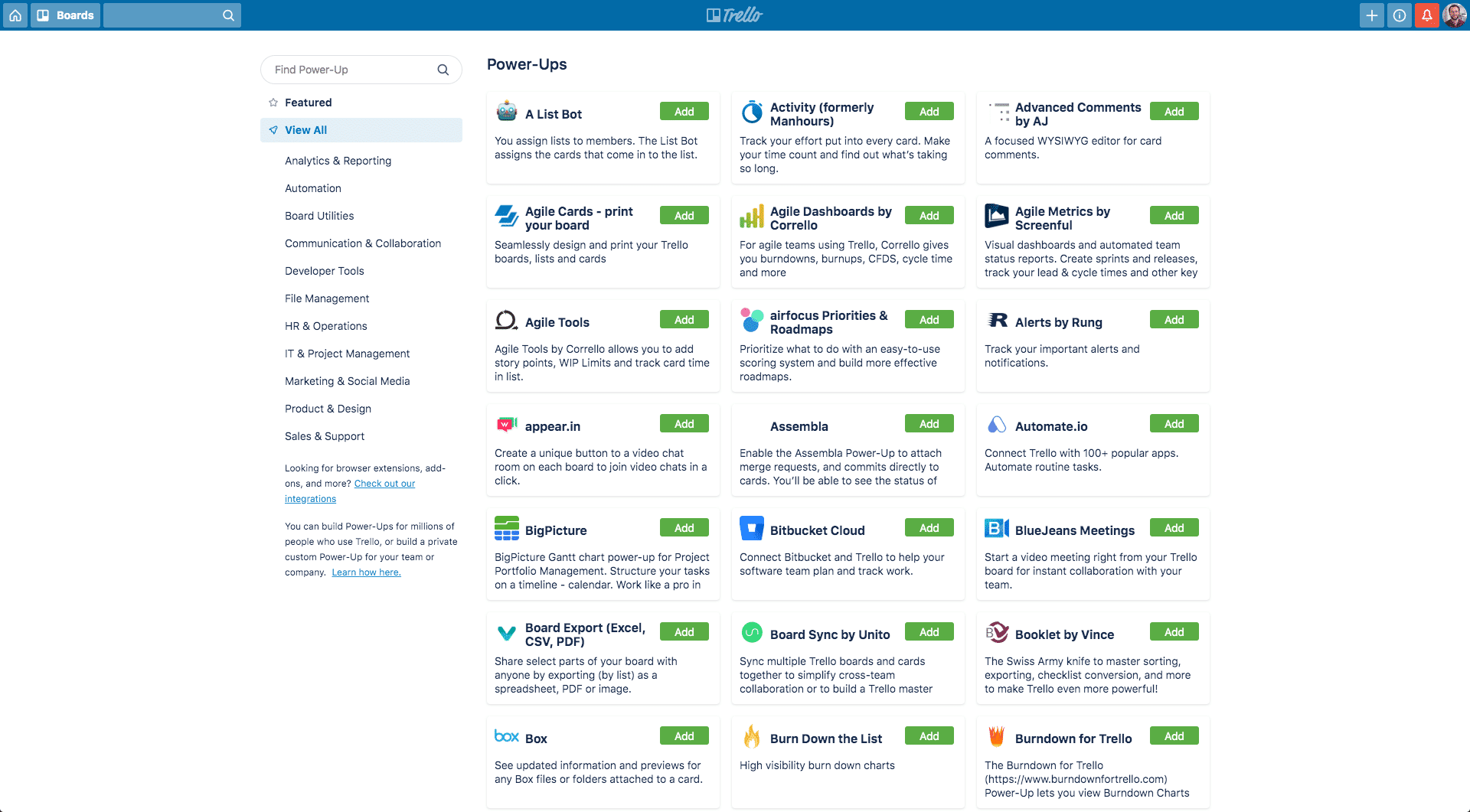 Trello Power-Ups
You can view a list of all Power-Ups here. There are a lot of them! Trello also offers various browser extensions that come in handy when you use Trello heavily. For example, with the PopClip extension, you can save selected text to Trello on Mac. You can view a list of all browser extensions here. It is also worth noting that Trello takes privacy very seriously. You have full control over who sees your boards. Plus, they use SSL / HTTPS connections.
Pricing
Trello has three pricing tiers: - Free. This is the most basic plan. They promise that it will remain free forever. - Business Class. This is a monthly plan at $9.99/user. It is aimed at small and medium-sized businesses that need more features than those included in the free version. - Enterprise. This is a plan starting at $20.83/user/month, though pricing depends on the number of seats you need (the larger your team, the lower the cost per user). All three plans offer unlimited boards, unlimited lists, and unlimited cards, making this a great tool for startups. However, when it comes to more advanced features like automation and Power-Ups, the free plan is quite limited. Also, the free plan doesn’t offer much in terms of security. If you want to be able to set advanced admin permissions, send domain-restricted invitations, or deactivate members, you will need to upgrade to Business Class or Enterprise. Additionally, the paid plans offer over 100 integrations, the use of which can help your team boost productivity significantly.What Are Trello’s Strengths?
Trello’s main strength is its simplicity. This is important because every tool you introduce to your team requires everyone to invest time to master it. Simplicity reduces the amount of time needed to train new team members. Additionally, Trello is extremely flexible. It was built with businesses in mind, so it’s safe to assume their most common use case is project management for a small business. However, it can also be used to manage pretty much any project you can think of, from planning a vacation to organizing a party to remodeling a house. In fact, in “25 Million! Celebrating With Top 4 New Requested Trello Features”, Michael Pryor, co-founder of Trello, shared that the team is often surprised by the use cases they see. He told users: <blockquote>“You pioneer ways to use Trello that we could have never dreamed of. From your critical sales pipelines to your vacation boards, your kanbans to your pantry inventories, your roadmaps to your recipe boards: Your creative use of Trello to be more productive at work and at home continues to amaze us.”</blockquote> This is great because you can use the same tool to manage both personal and professional projects.Who Is Trello Best For?
Trello works best for small businesses with clear, linear workflows that want simple, visual software that team members can master quickly. What you need to do is ask yourself whether you could manage your business with a physical Kanban board if your entire team worked in the same office. Most small business owners could do that, which means they would likely benefit from using Trello, especially if they are working on straightforward projects. However, if your team is too large and your projects are too complex, then Trello probably won’t cut it.Asana
 Asana
Asana was founded in 2008 by Justin Rosenstein and Dustin Moskovitz. Moskovitz is a co-founder of Facebook, and Rosenstein is a former Google and Facebook engineer. Both worked to improve project management and increase employee productivity at Facebook. This experience helped them realize that extraordinarily smart people often struggle with spending much of their time on “work about work,” by which they meant things like communicating via email, tracking down information, and making sure everyone is on the same page. While at Facebook, Moskovitz and Rosenstein collaborated on an internal project management tool called Tasks, which quickly grew in popularity within the company. They didn’t think of it this way at the time, but they now view this software as a prototype for Asana. The popularity of Tasks made them realize there was a need for a product like this. In 2008, they left Facebook to start Asana. The founders took their time developing the product before releasing it to the public. They launched a free beta in November 2011. The official commercial launch was in April 2012. Asana received attention from investors even before they launched, which was probably at least partly due to the founders’ connections in the tech industry. They first raised capital in the spring of 2011 with a $1.2 million angel round, followed shortly by a $9 million Series A round in November 2011. Notably, early investors included Peter Thiel (who later joined Asana’s board) and Sean Parker. Asana quickly became a popular project management tool. But the team didn’t rest on their laurels. They continuously improved their product by listening to customers and developing the most requested features. As a result, 10 years after Moskovitz and Rosenstein left Facebook to found Asana, the company reached a $1.5 billion valuation, and today it has over 60,000 paying customers. Furthermore, the company’s founders are so confident in their product that they recently announced that all 500 Asana employees are ditching internal email. This means people can still reach Asana employees via email, but it will not be used for intra-company communication. Moskovitz said:
<blockquote>“It’s very natural for people to organize conversations around the actual work […] Most of the time, when you’re having an email thread with your coworkers, it’s actually about some project you’re working on, or some action items or goals. In Asana, all of that is organized by ‘projects’ or ‘tasks,’ and each of those can have conversation threads around them. So our conversations happen there.”</blockquote>
This is a bold move that gives Asana credibility. After all, if the software is good enough for a $1.5 billion company, it’s probably good enough for your business.
Key Features
Asana is a sophisticated project management tool that lets you handle complex projects.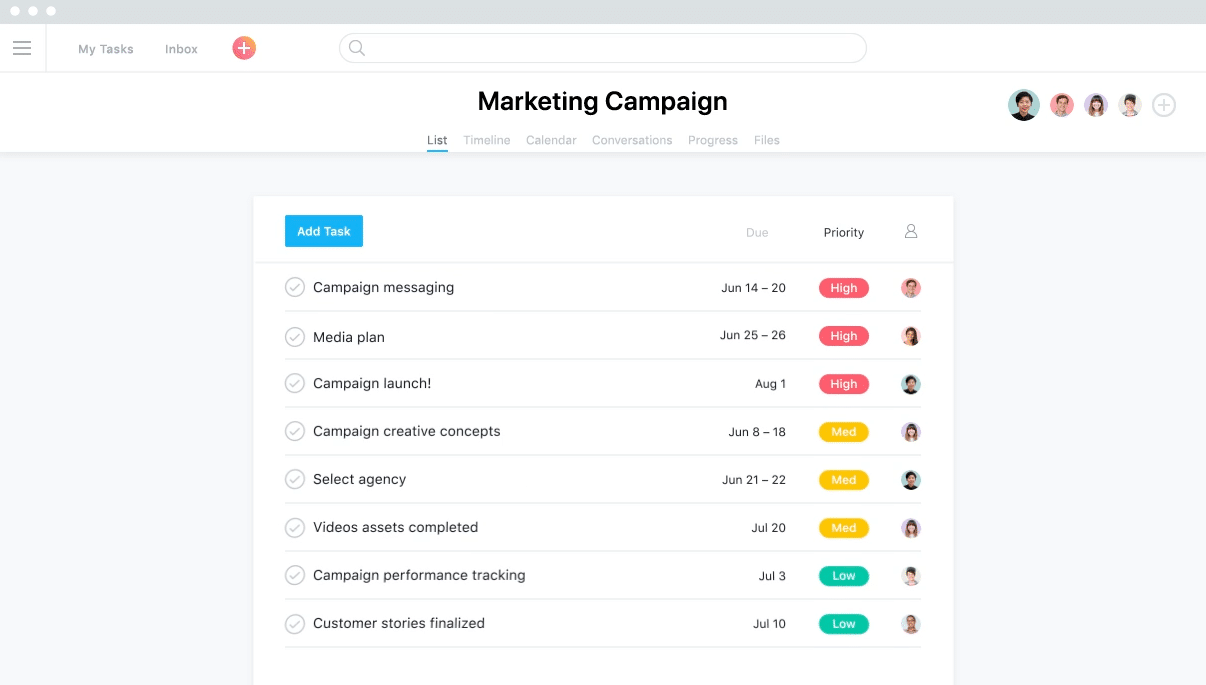 Asana overview
Asana has a Boards feature based on the Kanban system that allows you to visualize your work with a visual progression similar to Trello’s. However, while boards are the core of Trello’s product, in Asana, it is just one of many features (as you may recall, Asana didn’t introduce it until 2016). It is also worth noting that, unlike Trello, Asana has a proper task dependency management system:
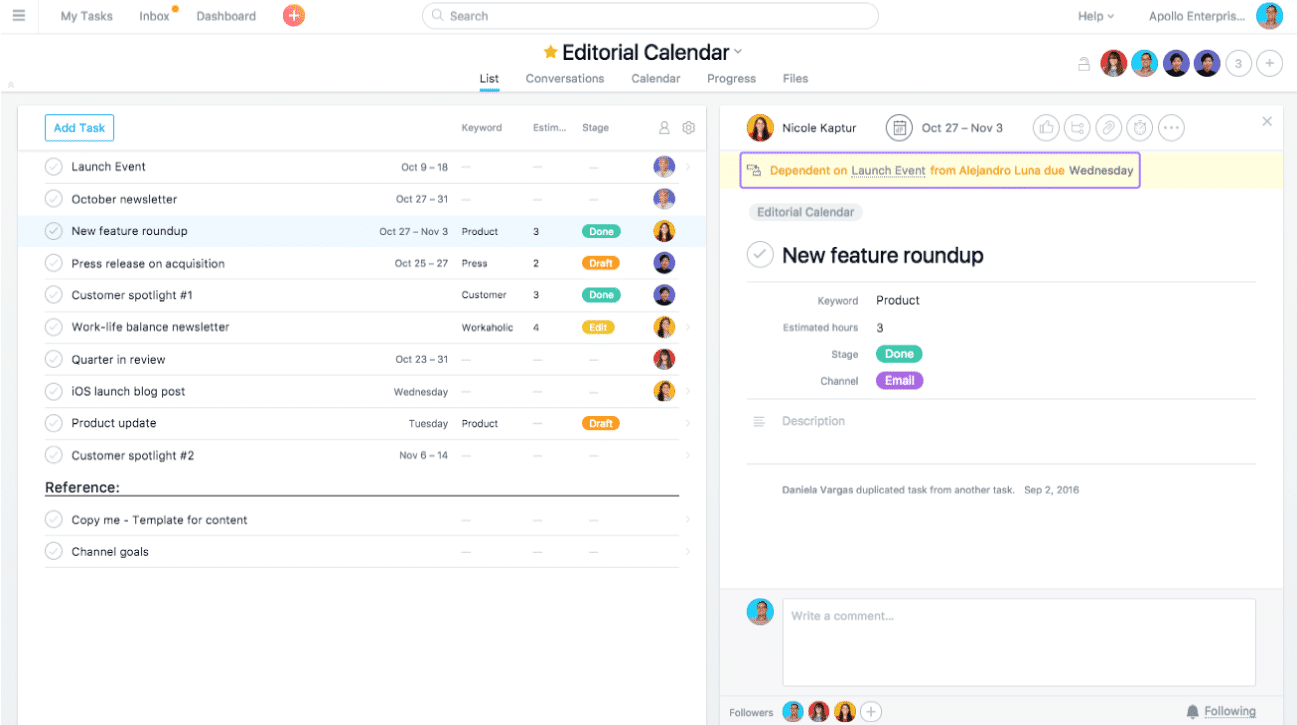 Asana task dependency feature
For example, you can mark a task as waiting on another task. Then, when that first task is completed, the person waiting on it will receive a notification and proceed with their own task. Keep in mind that one task can depend on multiple other tasks, and multiple tasks can depend on one task.
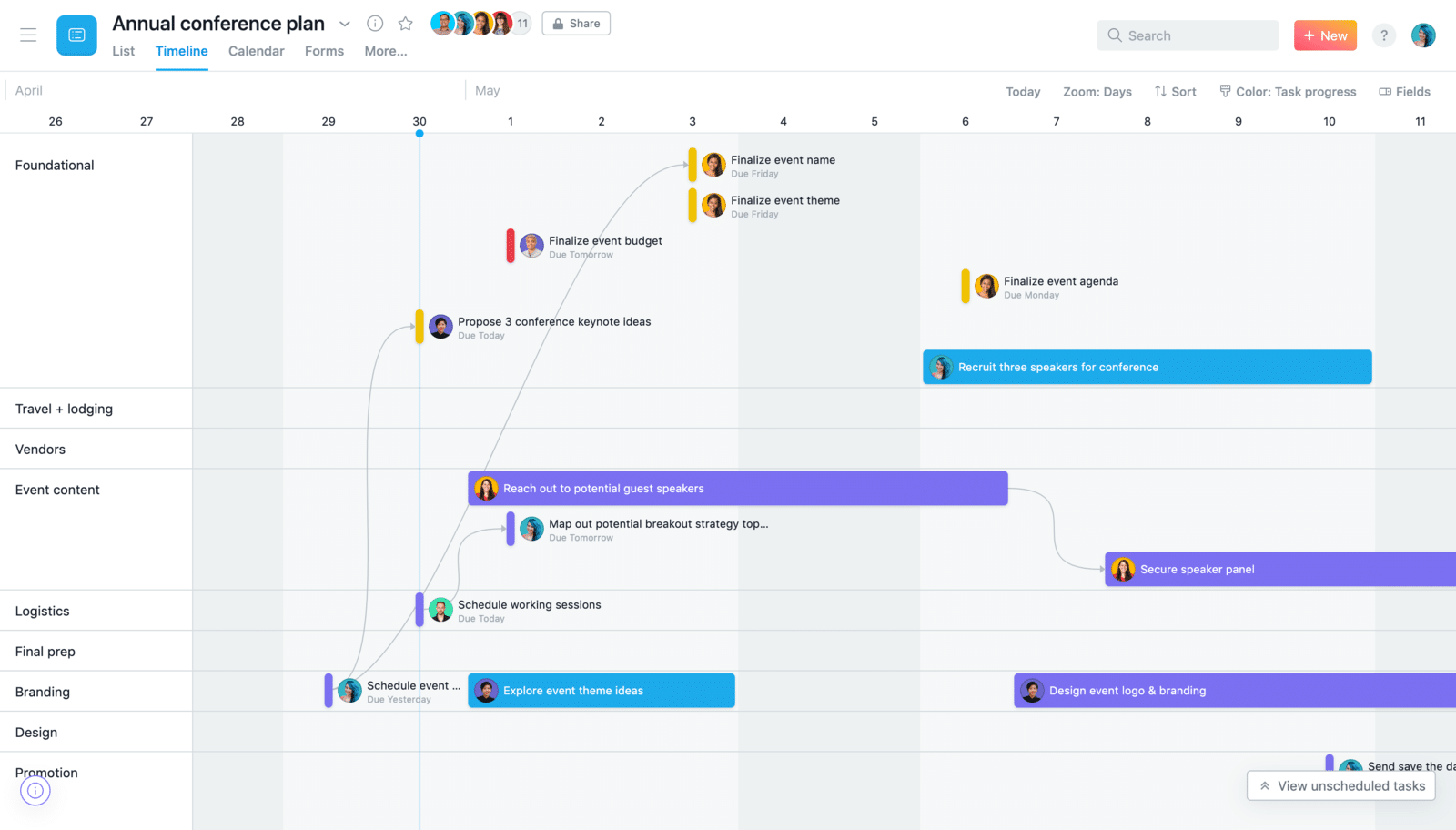 Asana Timeline
Another key feature is Timeline, which you can use to create a plan showing how the different pieces of your project fit together. This is an additional way to visualize progress. It helps you stay on track with deadlines: if anything changes, you can easily adjust the timeline and see how the change impacts the entire project. By the way, you can draw task dependencies on the Timeline, making it much easier to keep track of everything happening in a complex project.
Tired of having issues with your WordPress site? Get the best and fastest hosting support with Kinsta! Check out our plans
There is also a Calendar feature that lets you view your work on a calendar, allowing you to spot schedule conflicts, for example:
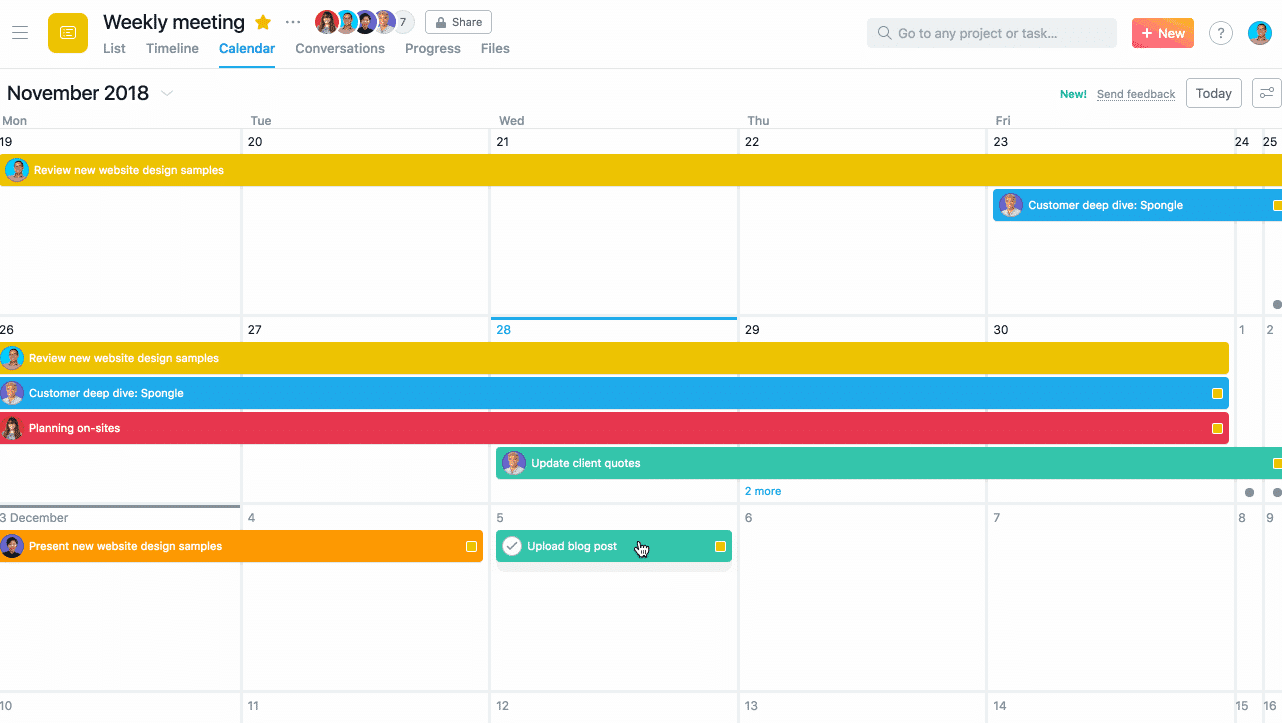 Asana Calendar
The Portfolios feature is an easy way to keep track of all your initiatives in one place, which is very convenient when you are working on several large projects at the same time. You can also check KPIs and important information in your portfolio in real time to anticipate any major issues before they happen. Even more interesting, however, is the Workload feature, which makes it easy to manage the workload of each team member:
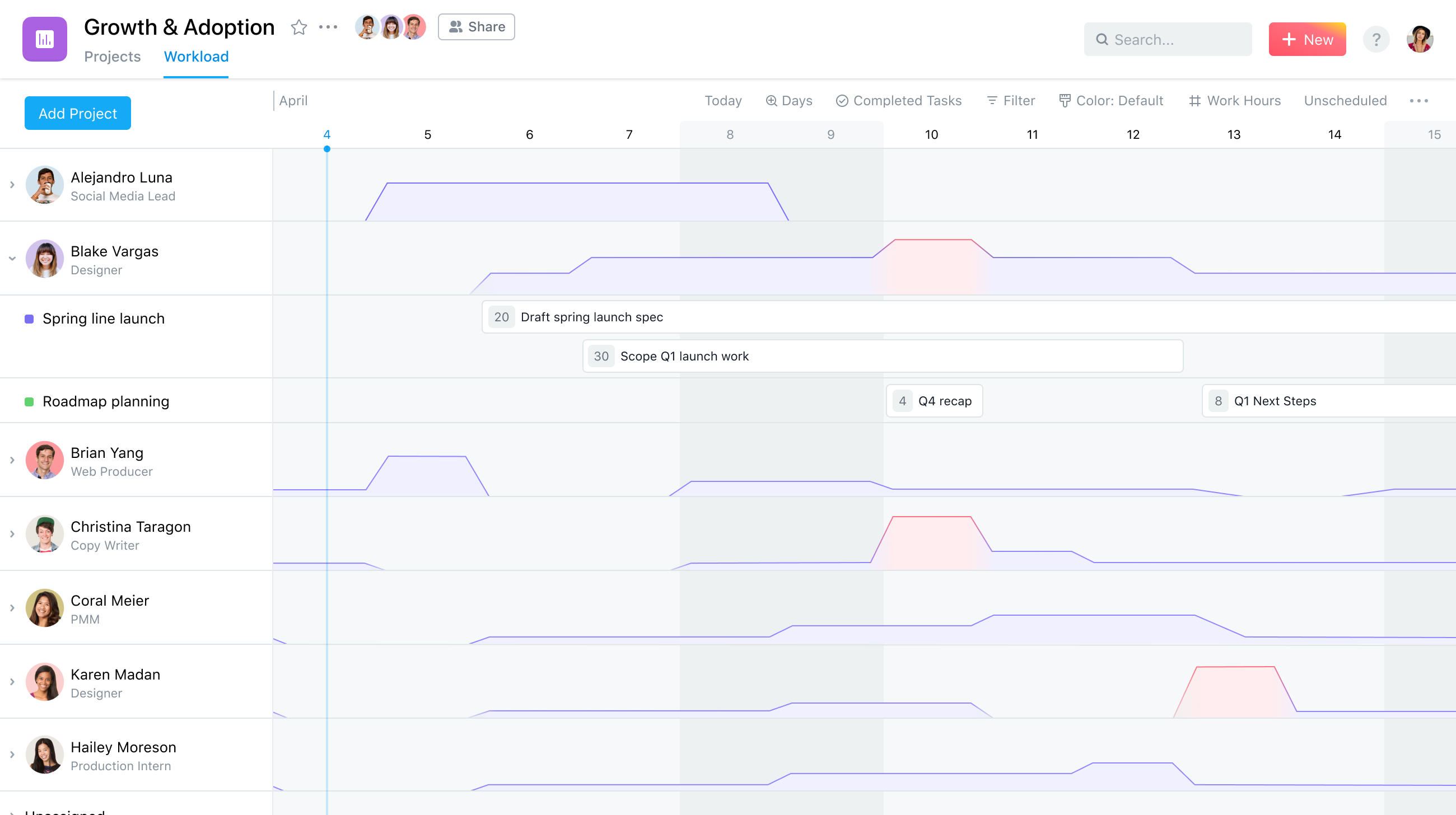 Asana Workload
This is valuable when you are managing a large team or several teams. The more people you need to look after, the easier it is to accidentally underwork or overwork someone. Occasional downtime and occasional crunches are normal, but prolonged poor workload management leads to employee dissatisfaction. This can cost the company a lot of money through reduced productivity and lower employee retention. Asana also lets you turn common processes into templates, meaning you don’t have to reinvent the wheel every time:
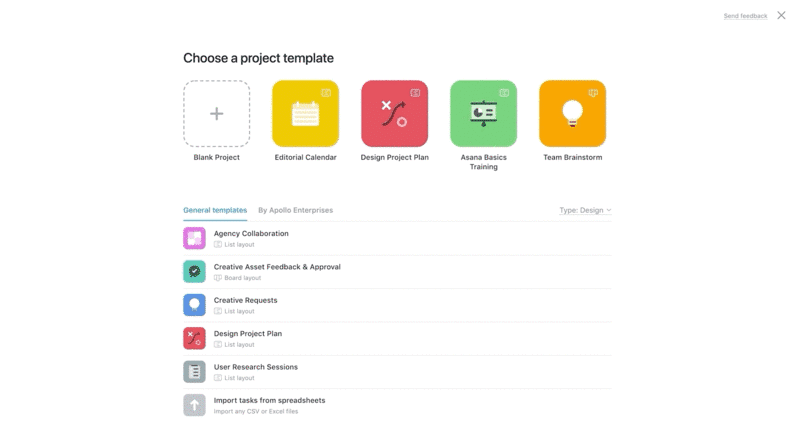 Asana default templates
This is important because you want to streamline things as much as possible as you grow your business. You can control who has access to what information through privacy settings that allow you to ensure security. The larger your team, and especially if you use freelancers, the more important this feature becomes because you don’t want people who just walked through the door having access to sensitive information. Speaking of security, admin features allow you to control things like authentication and password strength, plus you can reset all passwords in the event of a security breach.
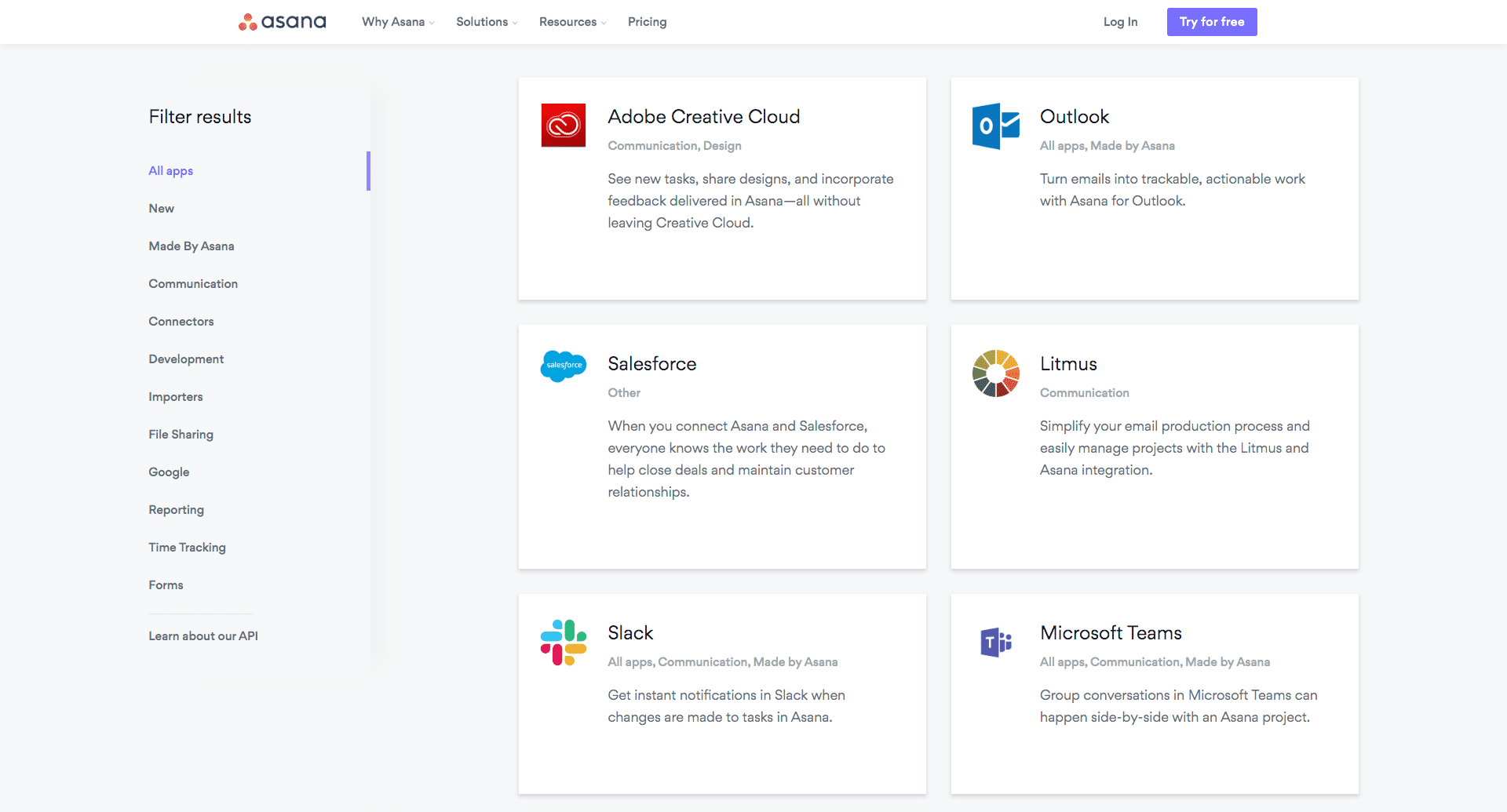 Asana integrations
Finally, Asana offers over 100 integrations with other popular tools, including Slack, Google Drive, Zapier… and even Trello!