CREATE FREE 30-SECOND MUSIC WITH GOOGLE GEMINI LYRIA — AI MUSIC FOR EVERYONE
Did you know Google Gemini has a completely free built-in music generator? Simply describe the style, mood, or genre you want, and Gemini's Lyria AI will generate a 30-second track complete with lyrics — ideal for TikTok videos, Reels, or phone ringtones. The best part? You don't need a paid Gemini Advanced subscription; a free account is all you need. Let's explore how to do it with JAYbranding! Google has integrated the Lyria AI music generation model into Gemini, allowing users to create short tracks with just a few lines of description. This tool is especially useful for social media content creators who need quick background music without worrying about copyright. Below is the step-by-step guide.
Step 1: Select the Music Generator in Gemini
Open your browser and go to gemini.google.com. In the prompt box, click the Tools button, then select Create Music from the dropdown list. This is the starting point — once selected, Gemini will switch to music generation mode with its own dedicated interface.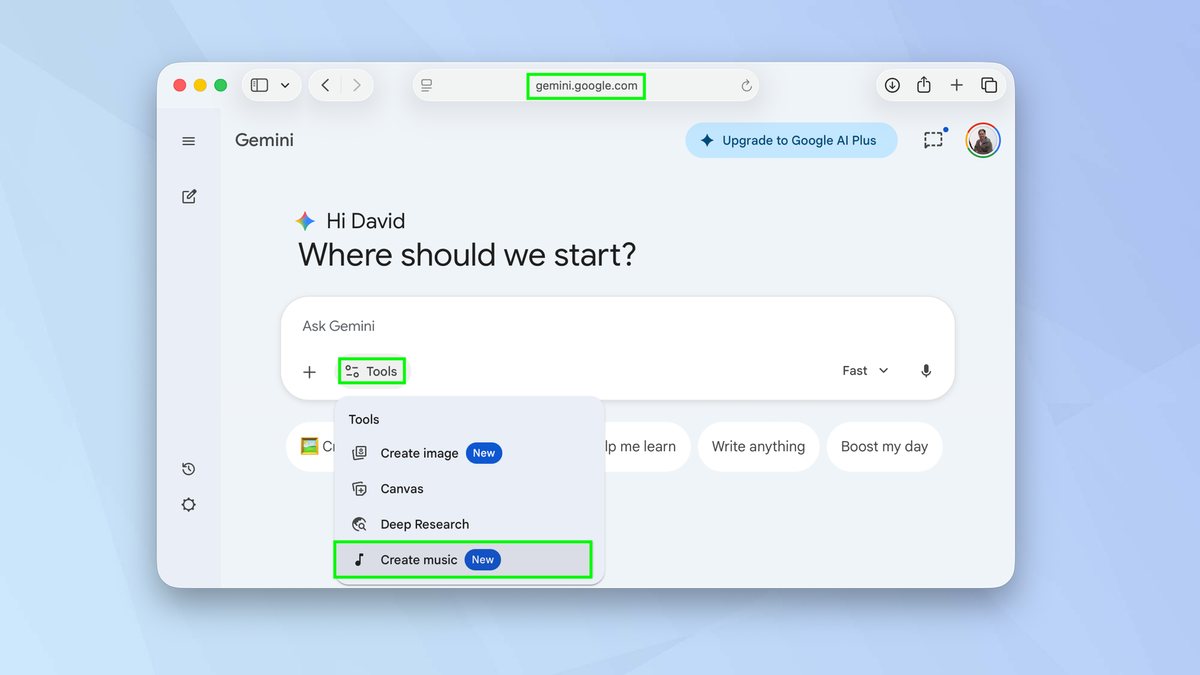 Select Tools > Create Music from Gemini's prompt box
Step 2: Choose a Sample Track or Create Your Own
Gemini will display a list of sample tracks above the prompt box. You can click the Play button to preview each one, then pick your favorite to remix. If you want to create from scratch, simply skip the sample selection and describe your desired track directly.Step 3: Describe the Track You Want
If you choose to remix, describe the changes you want: adjust the tempo, add lyrics, change the style, and more. If you're creating a brand-new track, just type a description like: "An upbeat, fast-paced pop track, suitable for a travel video". As you type, Gemini will suggest keywords to help you shape the track more accurately. Then click Send to start generating.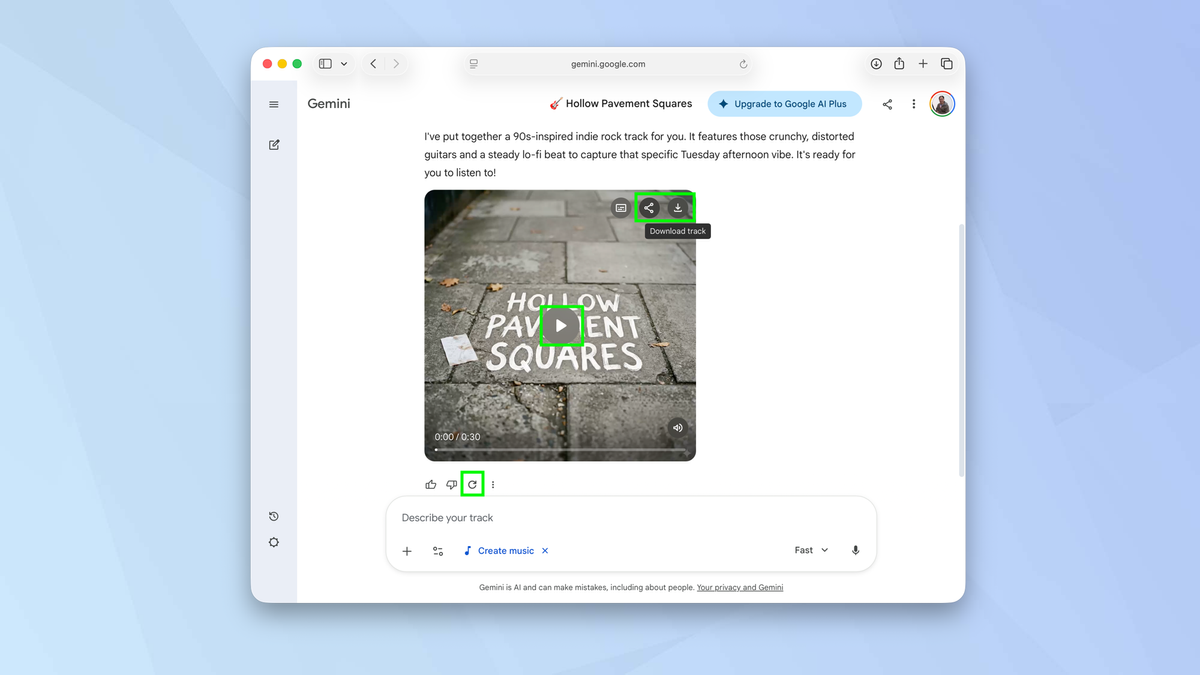 Describe the track you want and click Send