Portrait Colorization in Photoshop: Creating a New Experience for Portrait Photography
In the world of portrait photography, colorization is not just a simple task—it is a way to express authenticity and sharpness when bringing an image to life. Through the process of colorizing portraits, we can create a new experience, transforming simple photos into unique works of art. In this article, we will explore the importance of portrait colorization and the techniques that help designers create creative and captivating portrait photos.
Introduction:
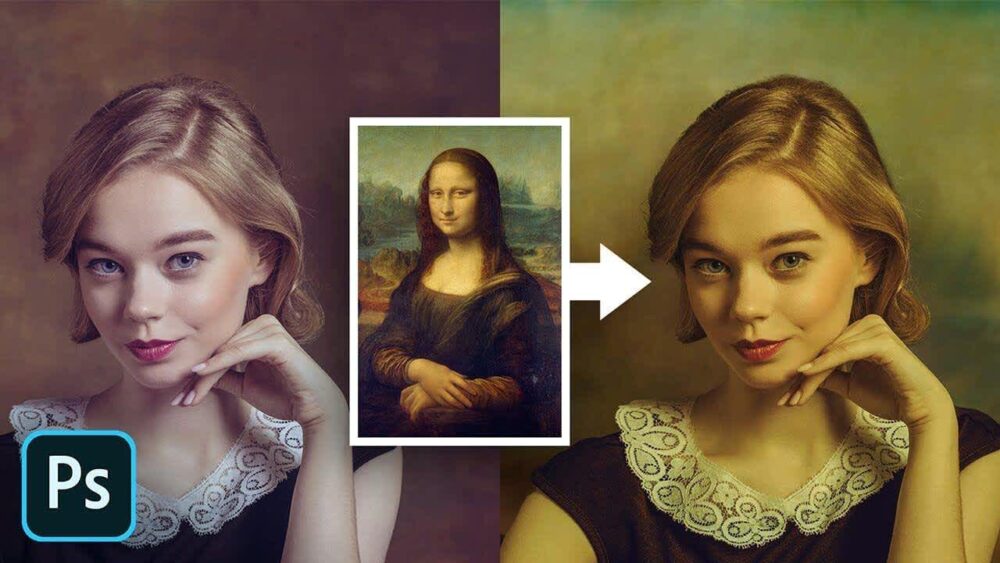 Portraits are how we express identity and human beauty. However, a black-and-white portrait can lose some of the subject's charm and vibrancy. Portrait colorization is an essential process for restoring liveliness and creating a fresh experience for the viewer. By adding color, we can highlight facial features, lighting, and tones, resulting in more creative and engaging portrait photographs.
Portrait Colorization Techniques:
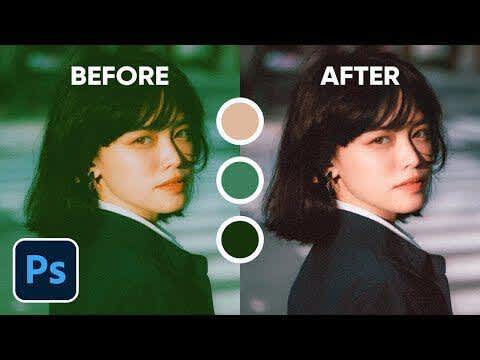
- Color Layers: Use the layer tools in Photoshop to create a new layer and paint color onto it. Adjust the opacity and apply blending modes and color effects to achieve creativity and realism in the portrait.
- Color Adjustments: Use color adjustment tools such as Curves, Hue/Saturation, and Color Balance to create harmony and contrast in the portrait's colors. Adjust highlights and shadows to accentuate facial features and accurately render skin tones.
- Brush and Layer Mask: Use the Brush and Layer Mask tools to selectively colorize and create contrast in the fine details of the portrait. Adjust softness and sharpness to achieve a natural, authentic look.
Tips and Best Practices for Portrait Colorization:
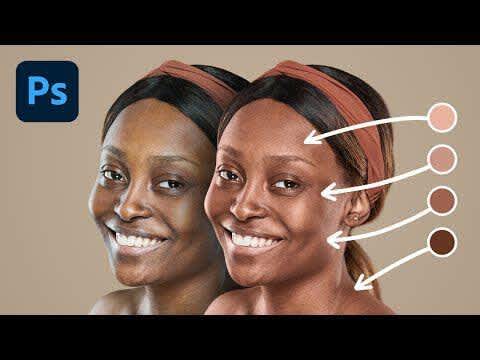 - Capture Accurate Skin Tones: To colorize portraits realistically, observe and capture foundational skin tones such as highlights, shadows, and primary undertones. Adjust colors based on the subject's real skin tone to achieve more natural and accurate results.
- Create Visual Balance: Ensure that colors contrast and balance well with each other across the portrait. Use adjustment tools to fine-tune brightness, darkness, hue, and contrast to produce a harmonious and striking image.
- Experiment and Stay Creative: Be bold in experimenting with different color palettes, effects, and colorization techniques. Give yourself the freedom to innovate and create unique, personalized portrait photography.