TOP 5 PROFESSIONAL PHOTO-TO-PAINTING APPS
In today's rapidly advancing technological era, countless applications have been developed to support human creativity. Photo-to-painting apps are among the most fascinating innovations available. Let's explore more about them with JAYbranding.
TOP 5 Photo-to-Painting Apps
1. Prisma
Prisma is a dedicated photo-to-painting application that transforms your photos into unique and creative works of art. It is widely regarded as one of the leading apps in this category, offering a wide range of distinctive, high-quality artistic filters.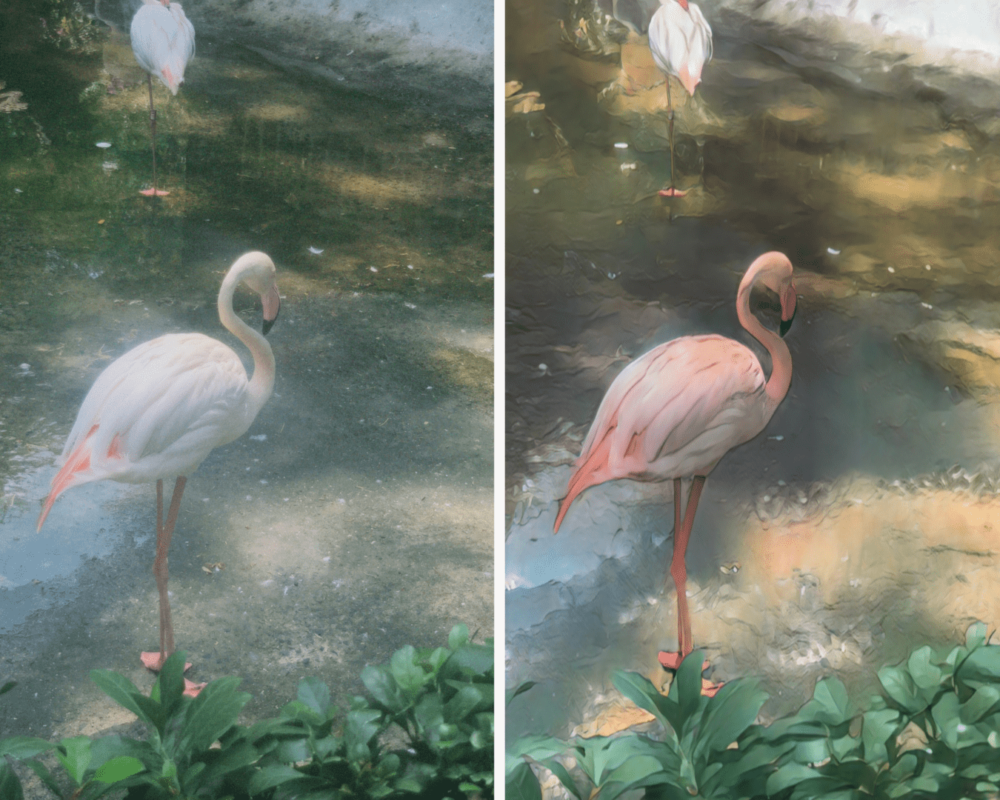 This app provides dozens of unique and high-quality artistic filters, enabling users to create images in a variety of styles. Prisma is one of the best mobile applications for producing beautiful and original artwork. Currently, Prisma supports both iOS and Android.
Key features of the Prisma app include:
- Converts photos into works of art, especially paintings.
- Offers a vast library of filters (over 300 different options) for users to choose from.
- Built-in sharing capabilities designed for social media engagement.
- Supports processing and saving or sharing images in multiple formats.
- Exports high-resolution, visually stunning images.
- Free to use with no ads.
Related reading: Top 12+ best free camera apps for smartphones 2023[](https://chanhtuoi.com)
2. Pencil Sketch
Using anti-noise and stroke filters, Pencil Sketch converts photos into drawings, allowing users to create beautiful and unique sketches with just a few simple steps. It is one of the most popular apps of its kind.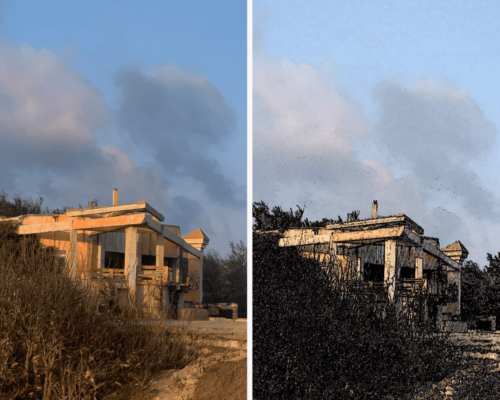 Pencil Sketch features conversion tools using brushes, pencils, oil paint, and other artistic effects, helping users craft eye-catching works of art.
Key features of Pencil Sketch:
- Over 20 different drawing styles to choose from.
- Adjustable size, brightness, contrast, and resolution for converted images.
- Supports saving converted images in JPG or PNG formats.
- Simple, intuitive, and user-friendly interface.
- Free to use with no ads.
Pencil Sketch also supports additional editing tools such as cropping, adjusting, and rotating photos before converting them into drawings. Moreover, the app supports sharing and printing so users can preserve their artwork or share it with others.
Note: Pencil Sketch is primarily designed for converting photos into black-and-white sketch styles and may have limitations regarding resolution or the number of images it can process efficiently.
3. MomentCam
This app offers a wide range of great features, including 2D and 3D views, drawing support, effects, sticker creation, and image processing. MomentCam includes a diverse collection of chibi and trending cartoon templates, allowing users to customize and share their creations on social media.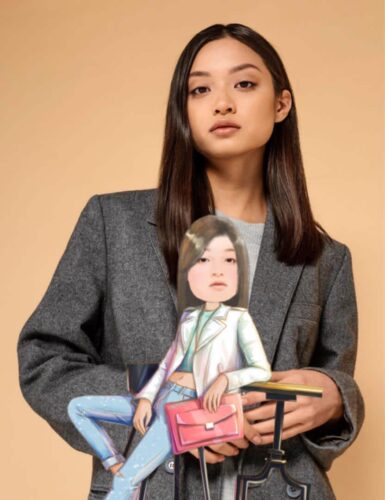 MomentCam is highly rated by users for its ability to create cute, unique, and easy-to-customize chibi and cartoon avatars. MomentCam is currently available on both iOS and Android.
Key features of MomentCam include:
- Converts portrait photos into drawings or chibi-style artwork.
- Over 200 filters and effects to choose from.
- Supports creating GIFs and videos.
- Provides multiple photo editing tools, including resizing, brightness, contrast, and resolution adjustments.
- Allows sharing and exporting converted images in various formats, including JPEG, PNG, GIF, and MP4.
- Includes features to add text and stickers to photos.
- Easy-to-use and intuitive interface.
Note: Using MomentCam may pose privacy risks where personal information, images, text, audio, or other data could potentially be accessed, used, or shared with unintended third parties.
4. Cartoon Photo Editor
Cartoon Photo Editor is a unique and creative photo-to-painting app specializing in cartoon-style artwork. It provides a suite of advanced filters and tools, allowing users to fine-tune and customize their photos as desired. It is one of the most popular apps for creating striking and original cartoon drawings on smartphones and tablets, available on both iOS and Android.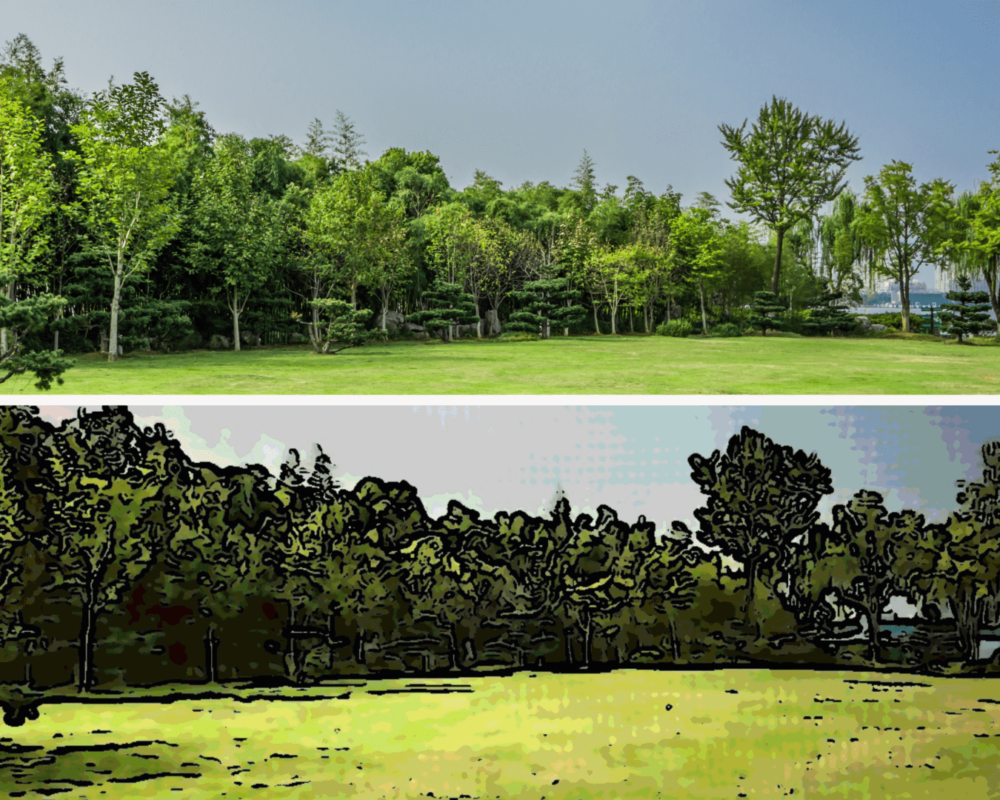 Additionally, keep in mind that Cartoon Photo Editor is specifically tailored for transforming photos into chibi or cartoon styles and may have limitations on resolution or batch processing capacity.
Key features of Cartoon Photo Editor include:
- Converts photos into unique and visually appealing cartoon paintings.
- Offers a wide variety of filters and effects to choose from.
- Supports creating GIFs and videos.
- Includes photo editing tools such as resizing, brightness, contrast, and resolution adjustments.
- Allows sharing and exporting converted images in various formats, including JPEG, PNG, GIF, and MP4.
- Easy-to-use and intuitive interface.
5. Watercolor Effect
As a popular effect in photo processing, Watercolor Effect lets users experience watercolor-style painting with prominent strokes and soft, blended edges. Watercolor effects are widely used to create impressive artistic pieces with delicate colors and refined brushwork.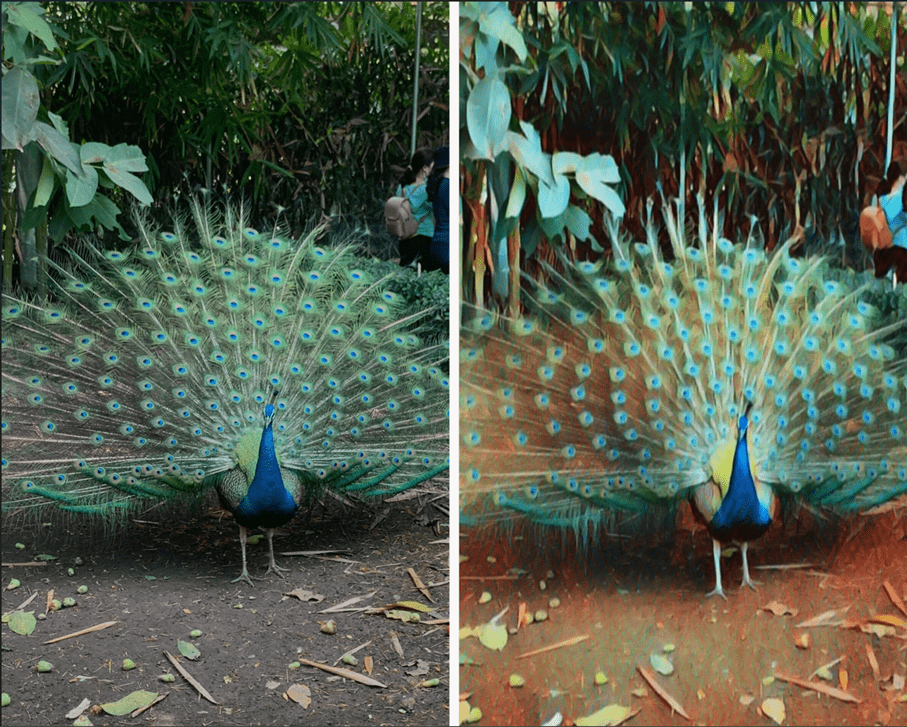 Many modern photo editing tools come with built-in Watercolor Effect features, turning photos into watercolor paintings in just a few simple steps. Watercolor Effect offers distinctive capabilities that convert photographs into lacquer or watercolor paintings with relatively high detail and color fidelity.
Key features of Watercolor Effect may include:
- Supports multiple painting styles, allowing users to freely create lacquer or watercolor artwork in their own style.
- Provides a selection of filters and effects to enhance uniqueness and creativity.
- Supports pre-conversion photo editing for optimal results.
- Simple, intuitive, and user-friendly interface.
- Allows exporting converted images in various formats, including JPEG, PNG, GIF, and others.